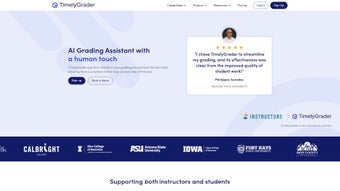

Download TimelyGrader – AI‑Powered Grading Tool for Educators
Overview & Key Features
TimelyGrader is a cloud‑based, AI‑enhanced grading platform that reshapes how teachers, professors, and tutors evaluate student work. Built on a secure, GDPR‑compliant infrastructure, the service plugs directly into the most widely used learning management systems (LMS) and supports virtually any assignment type—from traditional essays and spreadsheets to multimedia presentations and image‑based projects. What truly differentiates TimelyGrader is its “human‑in‑the‑loop” philosophy: the artificial intelligence engine performs the heavy lifting—initial rubric mapping, plagiarism checks, and consistency verification—while the educator retains final authority to adjust scores, add personalized comments, and approve the grade before it reaches the student portal. This blended approach not only slashes grading time by up to 70 % but also safeguards academic integrity and ensures that nuanced judgement remains with the instructor.
The platform’s design emphasizes both speed and engagement. Once an assignment is uploaded, the AI instantly produces a draft score and a set of constructive remarks that are immediately visible to students through a secure, 24/7 feedback portal. Learners can read the comments, request clarification, or view a step‑by‑step breakdown of how each rubric criterion was applied. For instructors, a real‑time analytics dashboard aggregates class‑wide performance data, flagging common misconceptions and enabling data‑driven adjustments to lesson plans. Scalability is baked into the architecture, allowing a single‑person tutoring service to grade a handful of submissions each week, while a large university department can process thousands of assignments simultaneously without performance degradation.
- AI‑Assisted Evaluation: Automatic rubric alignment, plagiarism detection, and consistency checks across large cohorts.
- Multi‑Format Support: Handles text essays, PDFs, spreadsheets, PowerPoint decks, and image‑based assignments.
- Customizable Rubrics: Drag‑and‑drop builder lets educators tailor criteria to any discipline.
- Real‑Time Student Feedback: Instant, personalized comments available 24/7 via a secure portal.
- Human‑In‑The‑Loop Controls: Instructors can override AI scores, add annotations, and approve final grades.
- Analytics Dashboard: Visual insights into class performance, question difficulty, and grading trends.
- Secure Cloud Hosting: End‑to‑end encryption, ISO‑27001 certification, and role‑based access control.
- Seamless LMS Integration: Connects with Canvas, Moodle, Blackboard, and Google Classroom via API.
- Scalable Architecture: Supports thousands of concurrent users without latency.
- Continuous Updates: Monthly AI model refinements and feature releases keep the tool future‑proof.
Each of these capabilities translates into concrete benefits. The AI‑driven evaluation dramatically reduces manual labor, freeing educators to devote more time to curriculum development, research, or one‑on‑one mentorship. Multi‑format support eliminates the need for separate grading tools, while customizable rubrics guarantee alignment with specific learning outcomes. The instant feedback loop accelerates student learning cycles, allowing learners to address weaknesses while the material is still fresh. Finally, the platform’s robust security measures reassure institutions that sensitive student data remains protected against breaches and complies with international privacy standards.
Installation, Usage & Compatibility
Step‑by‑Step Installation
- Create an Account: Visit TimelyGrader.com, click “Sign Up,” and register with your institutional email. A verification link is sent instantly.
- Connect Your LMS: In the dashboard, select “Integrations,” choose your LMS (Canvas, Moodle, Blackboard, or Google Classroom), and follow the OAuth flow to grant read/write permissions.
- Configure Rubrics: Use the built‑in rubric editor to add criteria, weightings, and performance descriptors. Save as a template for future courses.
- Upload Assignments: Instructors can bulk‑upload student submissions via drag‑and‑drop or sync directly from the LMS assignment folder.
- Run AI Grading: Click “Start AI Review.” The system processes each submission, generates a preliminary score, and attaches feedback comments.
- Review & Publish: Examine AI suggestions, make adjustments if needed, then click “Publish Grades” to sync back to the LMS.
Operating System & Device Support
TimelyGrader is delivered as a web‑based SaaS solution, meaning it runs on any modern browser—including Chrome, Firefox, Edge, and Safari—across Windows 10/11, macOS, Linux, as well as mobile platforms (iOS 15+ and Android 9+). No additional software installation is required, making it ideal for remote, hybrid, or fully in‑person teaching environments.
Best Practices for Optimal Use
To maximize efficiency, begin by calibrating the AI model with a small, manually graded sample set. This “training” phase teaches the algorithm your grading style, reducing the frequency of manual overrides later on. Regularly update rubrics to reflect curriculum changes, and leverage the analytics dashboard after each grading cycle to identify trends such as recurring misconceptions or overly difficult questions. Encourage students to log into the feedback portal frequently; the more they interact with personalized comments, the faster they can close learning gaps. Finally, maintain a reliable internet connection, as the service relies on cloud processing; offline grading is not supported.
Pros & Cons
Pros
- Significant time savings—up to 70 % faster grading.
- Supports diverse assignment types (text, data, visuals).
- Human‑in‑the‑loop ensures educator control and accountability.
- Instant, 24/7 feedback improves student learning cycles.
- Robust analytics help identify curriculum weaknesses.
- Secure, GDPR‑compliant cloud architecture.
- Easy integration with major LMS platforms.
- Scalable for small classes to large university departments.
- Regular AI model updates keep grading accuracy high.
- Free tier available for individual educators.
Cons
- Initial AI calibration requires a short learning curve.
- Internet connectivity is mandatory; offline grading isn’t supported.
- Advanced customization (e.g., complex statistical rubrics) may need premium add‑ons.
- Pricing for large institutions can be higher than simple spreadsheet solutions.
- Some legacy LMS platforms may need custom API development.
Overall Verdict: TimelyGrader offers a compelling blend of AI efficiency and educator oversight, making it a top choice for modern classrooms seeking to reduce grading workload while enhancing feedback quality.
Conclusion, Call to Action & Frequently Asked Questions
TimelyGrader sits at the crossroads of cutting‑edge artificial intelligence and seasoned pedagogical practice, delivering a secure, scalable, and teacher‑centric grading solution. By automating routine evaluation tasks while preserving full editorial control, it frees educators to focus on mentorship, curriculum design, and research. Whether you are an independent tutor looking for a lightweight, free tool or a university department needing enterprise‑grade analytics, TimelyGrader adapts to your workflow and grows with your needs.
Ready to experience faster, fairer grading? Download TimelyGrader now and start a 14‑day free trial. Join thousands of educators who have already reduced grading time by up to 70 % while boosting student engagement.



.png)



